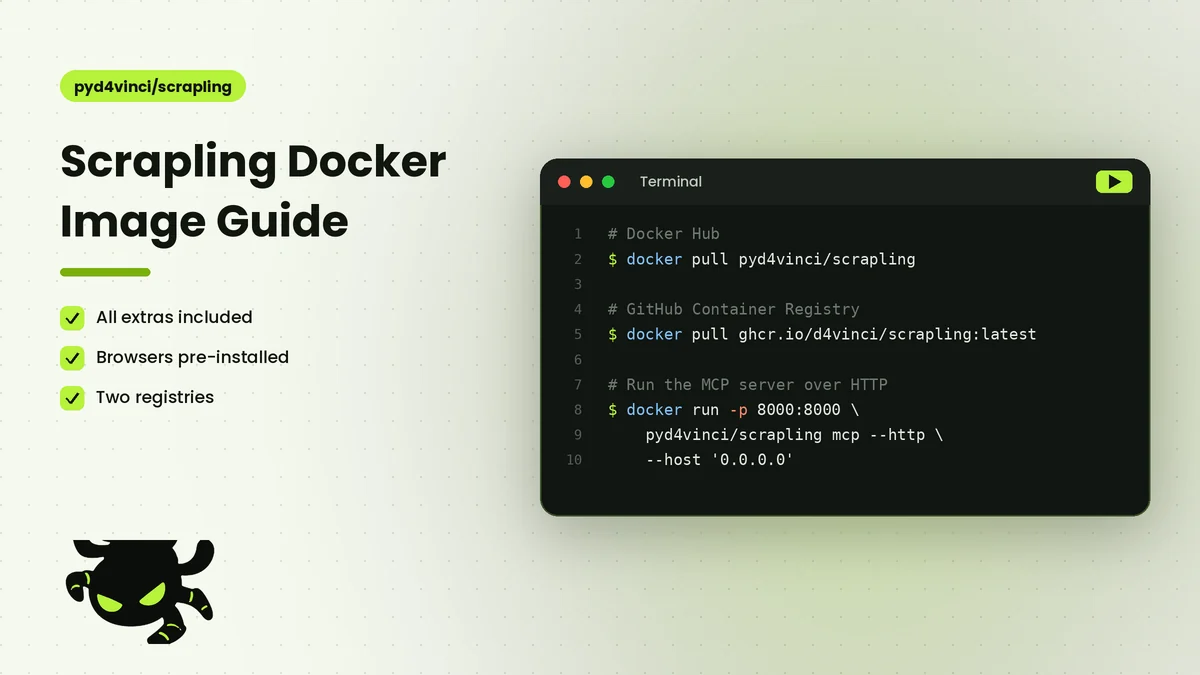
Scrapling Docker images remove the most time-consuming part of setup, which is installing browsers and their system dependencies on every machine. The project publishes ready-made images that include all extras and browsers, so a server, CI runner or teammate's laptop can run the same environment with one command. This article shows how to pull the image, run your own scripts and host the MCP server.
Where the Official Images Live
Two registries host the official image. Both are built from the main repository, so choosing between them is mostly about which registry your infrastructure already uses.
| Registry | Image name |
|---|---|
| Docker Hub | pyd4vinci/scrapling |
| GitHub Container Registry | ghcr.io/d4vinci/scrapling:latest |
The project documentation notes that the image is built and pushed automatically from the repository's main branch. It includes every extra, which means fetchers, browsers, the MCP server and the shell tools are all present.
Pulling the Image
Pulling ahead of time avoids waiting during your first run. Use whichever registry suits your environment.
docker pull pyd4vinci/scrapling
# or
docker pull ghcr.io/d4vinci/scrapling:latest
Browser-capable images are larger than a plain Python image. Pull once on each host and rely on Docker's cache afterwards.
Why Use Containers for Scraping
Browser automation depends on many system libraries, and small differences between machines cause frustrating failures. A container packages those dependencies so the scraper behaves the same everywhere.
Containers also make scheduling easier. Cron jobs, CI pipelines and orchestration platforms can run a container image directly without preparing the host.
- Consistent browsers and libraries across machines
- No local
scrapling installstep - Easy cleanup by removing the container
- Simple integration with CI and job schedulers
- Isolation from other Python projects on the host
Running Your Own Scripts
A common pattern is mounting a project folder into the container and running a script from it. The commands below assume a scraper.py in your current directory; overriding the entrypoint lets you call Python directly.
docker run --rm -v "$PWD":/work -w /work \
  --entrypoint python pyd4vinci/scrapling scraper.py
Anything the script writes into /work appears in your local folder. That makes it easy to collect JSON or CSV exports produced by spiders.
Checking the Container Quickly
Before mounting projects, confirm the container starts and the package imports. A one-line check is enough.
docker run --rm --entrypoint python pyd4vinci/scrapling \
  -c "import scrapling; print('ok')"
Hosting the MCP Server
The image can run the MCP server directly, which is useful for assistants that connect over HTTP. The official documentation shows a run command with an authentication token.
docker run -p 8000:8000 \
  -e SCRAPLING_MCP_AUTH_TOKEN="<your-token>" \
  pyd4vinci/scrapling mcp --http --host '0.0.0.0'
Desktop clients can also launch the container over stdio. For Claude Desktop, the documented configuration uses docker as the command with the arguments run, -i, --rm, pyd4vinci/scrapling and mcp.
Securing a Containerised Server
A scraping server reachable over a network can fetch arbitrary URLs, so it deserves the same care as any internal service. A few precautions go a long way.
- Always set a strong, unique
SCRAPLING_MCP_AUTH_TOKEN - Bind the port to localhost or a private network where possible
- Place the server behind a firewall or reverse proxy with TLS
- Rotate tokens when team members change
- Monitor logs for unexpected request patterns
Resource Planning
Browsers use noticeably more memory and CPU than HTTP requests. When a container runs browser-heavy jobs, give it enough memory and limit concurrency to what the host can handle.
HTTP-only workloads are much lighter. Separating lightweight HTTP jobs from browser jobs, possibly in different containers, keeps costs predictable.
| Workload | Relative resource use | Suggestion |
|---|---|---|
Fetcher requests | Low | Higher concurrency is usually fine |
| Browser sessions | High | Limit open pages and parallel sessions |
| MCP server over HTTP | Varies with tool use | Restrict access and watch usage |
Updating the Image
Pulling again fetches the latest build of the tag you use. For reproducible deployments, record the image digest you tested rather than relying on a moving tag.
A simple routine helps: pull the new image in a test environment, run your scrapers against a practice site, compare the results with the previous run and only then promote the new digest to production. This keeps upstream changes from surprising a scheduled job.
Building Your Own Image on Top
Projects often need extra Python packages, such as a database driver or a data library. Extending the official image keeps the browsers and Scrapling setup intact while adding your own dependencies and code.
FROM pyd4vinci/scrapling
WORKDIR /app
COPY requirements.txt .
RUN pip install -r requirements.txt
COPY . .
ENTRYPOINT ["python", "scraper.py"]
Rebuilding your image after pulling a new base version brings in upstream updates. Testing the rebuilt image against a practice site before deploying catches surprises early.
Scheduling Container Jobs
A container that runs once and exits fits neatly into schedulers. A cron entry on a server, a scheduled CI pipeline or a cloud job service can start the container at fixed times and collect the exported files afterwards.
Keeping each run stateless makes scheduling reliable. Write results to a mounted folder or external storage, and keep adaptive fingerprint databases in a persistent volume if your scraper depends on them.
- Mount an output folder for exports and logs
- Store fingerprint databases on a persistent volume
- Set sensible timeouts so stuck runs do not pile up
Frequently Asked Questions
Does the Scrapling Docker image include browsers?
Yes. The project states that the image includes all extras and browsers, so scrapling install is not required inside it.
Can I use the image in CI pipelines?
Yes. CI systems that run containers can use the image directly, which avoids installing browsers on every pipeline run.
Is the Docker image required to use Scrapling?
No. It is optional. Many users install Scrapling with pip in a virtual environment instead.
Conclusion
Scrapling Docker images give you a consistent, browser-ready environment on any host that runs containers. Pull from Docker Hub or GHCR, mount your project to run scripts, and use the documented command with an authentication token when hosting the MCP server. To connect that server to an assistant, continue with the Scrapling Claude setup.