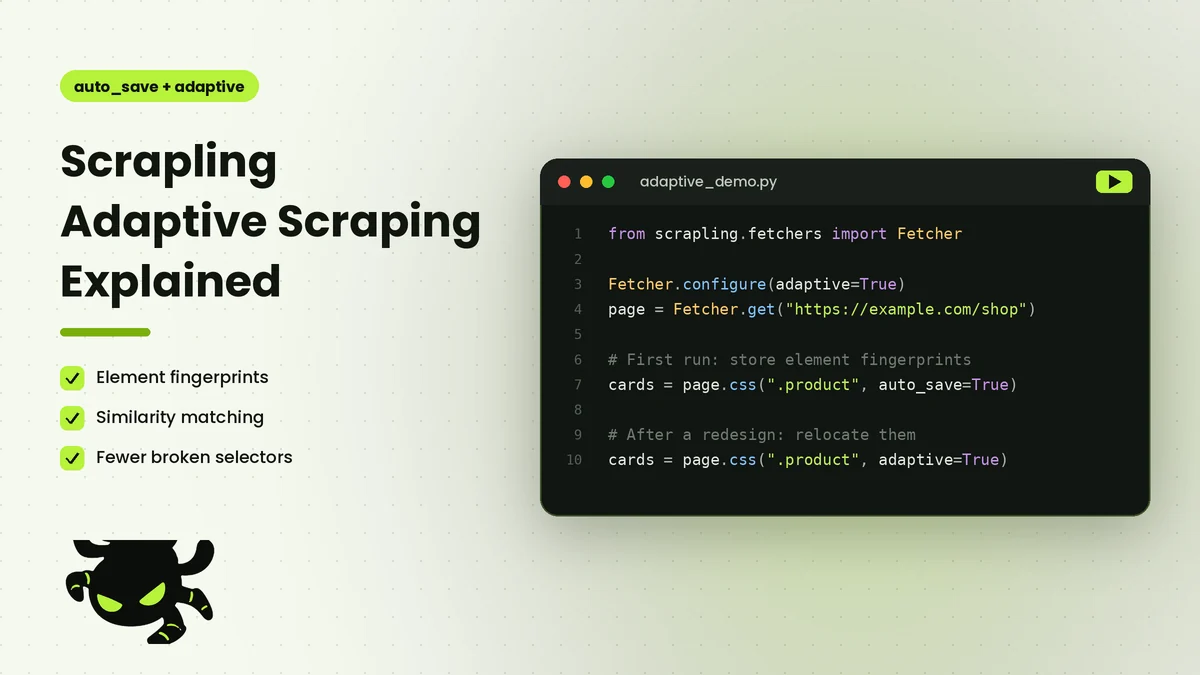
Scrapling adaptive scraping tackles one of the most tiresome parts of web scraping: selectors that break after a website redesign. Instead of failing silently when a class name or layout changes, Scrapling can remember what an element looked like and search for the closest match on the new page. This article explains how the feature works, how to enable it and where its limits lie.
Why Selectors Break
Traditional scrapers depend on CSS selectors or XPath expressions tied to the page's current markup. Renaming a class, wrapping content in a new container or switching a heading level is enough to make those selectors return nothing.
Each breakage means investigating the new page, writing new selectors and redeploying. For scrapers that run for months, that maintenance can cost more time than the original build.
How Adaptive Tracking Works
When you select elements with auto_save=True, Scrapling records a profile of each match. According to published walkthroughs, that profile includes the element's tag, attributes, parent and child information, nearby text and its position relative to siblings.
Later, if the same selector stops matching, calling it with adaptive=True makes Scrapling compare the stored profile against elements on the new page. It then returns the element with the highest similarity, without relying on an AI model.
- Profiles are keyed by selector, or by a custom
identifieryou supply - Fingerprints are stored locally in a SQLite database
- Matching is based on structural and content similarity
Enabling Adaptive Mode
Adaptive tracking must be switched on before it can save or use fingerprints. You can enable it on a fetcher class or on a Selector you create yourself.
from scrapling.fetchers import Fetcher

Fetcher.configure(adaptive=True)
page = Fetcher.get("https://example.com/shop")
The same setting is available on other fetchers, for example StealthyFetcher.adaptive = True. For HTML you already hold, pass adaptive=True when creating a Selector along with the page URL.
Saving Fingerprints with auto_save
On the first run, select your elements as usual and add auto_save=True. Scrapling extracts the data and quietly stores each element's profile.
products = page.css(".product", auto_save=True)
for product in products:
    print(product.css(".title::text").get())
A custom identifier gives each saved selection a stable name. That helps when the same selector string appears in different contexts or when you plan to rename selectors later.
Relocating Elements with adaptive=True
After a redesign, the original selector may return nothing. Passing adaptive=True tells Scrapling to use the saved profile to find the most similar elements on the new page.
products = page.css(".product")
if not products:
    products = page.css(".product", adaptive=True)
This fallback pattern keeps the normal path fast and only uses similarity matching when the plain selector fails. Logging when the fallback triggers is a good way to know a site has changed.
Scoping Fingerprints to a Domain
Fingerprints are tied to the website they came from. The documentation also describes an adaptive_domain setting, which is useful when the same site is served from more than one address.
Setting the domain explicitly keeps fingerprints consistent between a staging address and the live site, or between regional versions of the same shop. Without it, each address would build its own separate set of saved profiles, and matches recorded on one would not help the other.
A Practical Before and After
Imagine a shop that changes its product markup. The data stays the same, but every class name and container changes.
| Detail | Before redesign | After redesign |
|---|---|---|
| Container | div.product | article.item-card |
| Title | h2.title | h3.name |
| Price | span.price | p.cost |
| Plain selector result | Matches | Returns nothing |
With adaptive=True | Not needed | Closest match returned |
Where Adaptive Scraping Has Limits
Similarity matching is powerful but not magic. If a redesign removes the data, changes its meaning or restructures a page so heavily that nothing resembles the original element, there may be no sensible match to return.
Treat adaptive results as a resilience layer rather than a guarantee. Validating extracted values, such as checking that a price looks like a price, catches cases where the closest match is not the element you wanted.
- Validate field formats after adaptive matches
- Log every time the adaptive fallback is used
- Review and update selectors when the fallback triggers repeatedly
- Keep the fingerprint database with the project so it persists between runs
Adaptive Scraping in Larger Projects
Adaptive tracking is most valuable for scrapers that revisit the same pages over time, such as price monitors and content trackers. One-off crawls gain less, because the site is unlikely to change during a single run.
Combining adaptive selectors with spiders and scheduled runs gives long-lived projects a useful safety net. The how to use Scrapling tutorial shows how these pieces fit together.
Adaptive Tracking with Browsers
Dynamic pages change just as often as static ones. Adaptive mode works with browser-based fetchers too, so a scraper that renders JavaScript through StealthyFetcher can save and reuse fingerprints in the same way.
from scrapling.fetchers import StealthyFetcher

StealthyFetcher.adaptive = True
page = StealthyFetcher.fetch("https://example.com", headless=True, network_idle=True)
products = page.css(".product", auto_save=True)
Waiting for the page to settle before saving matters here. If fingerprints are recorded while content is still loading, they may describe placeholders rather than the final elements.
Frequently Asked Questions
Does adaptive scraping use AI?
No. Scrapling compares stored element profiles with elements on the new page using similarity algorithms rather than a language model.
Where are fingerprints stored?
They are kept locally in a SQLite database. Keeping that database with your project lets fingerprints persist across runs.
Will adaptive mode slow down my scraper?
Saving fingerprints adds a small amount of work, and similarity matching only runs when you request it with adaptive=True. The fallback pattern keeps normal runs fast.
Conclusion
Scrapling adaptive scraping gives long-running scrapers a practical way to survive markup changes: enable adaptive mode, save fingerprints with auto_save=True and fall back to adaptive=True when a selector stops matching. Validate the results and update selectors when changes persist. Compare this approach with traditional tools in the Scrapling vs Scrapy article.